
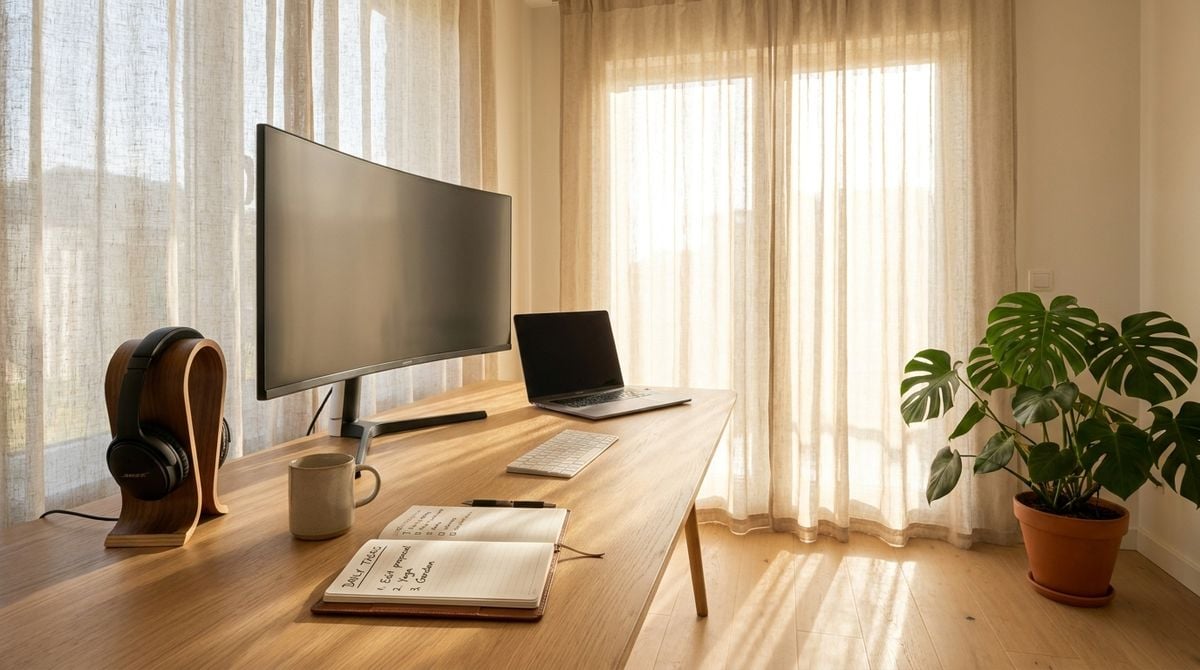
Working from home has shifted how many people view their personal living spaces. What once served solely as a place to relax or spend time with family has increasingly transformed into a central hub for professional tasks, creative pursuits, and daily digital communication. While the flexibility of remote tasks brings undeniable convenience, it can also lead to unintended energy waste, physical fatigue, and blurred boundaries between professional duties and private downtime.
Creating a balanced environment requires a thoughtful look at both your physical workstation and the habits that govern your digital day. By introducing mindful energy choices, ergonomic routines, and clear boundaries, you can foster a space that feels refreshing rather than exhausting. Cultivating these small adjustments does not require an immediate overhaul, but rather a series of deliberate choices that support your well-being and respect the environment.
Rethinking Daily Energy Habits at Your Desk
A home workspace often draws more continuous electrical power than people realize. Multiple monitors, charging bricks, desktop accessories, and background equipment can continuously draw electricity even when placed on standby mode. Simple adjustments, such as plugging non-essential accessories into an easily accessible power strip that can be switched off at the end of the day, help curb passive consumption.
Maximizing natural light throughout the morning and afternoon is another straightforward way to lower your reliance on overhead fixtures. Positioning your desk perpendicular to a window allows sunlight to illuminate your workspace and keyboard without producing harsh screen glare. When natural lighting begins to fade, choosing warm LED desk lighting that focuses illumination directly onto your work surface keeps energy use minimal while easing strain on your eyes.
Looking beyond desk accessories, exploring broader sustainability resources can guide you toward greener alternatives for your household power and electronic gear. Reading about sustainable energy options through platforms like Alternatives Times can provide valuable context on renewable solutions and practical choices that help reduce everyday environmental impact.
Building Physical Comfort Into the Workday
A truly functional desk setup must protect your physical comfort throughout hours of focused attention. When you sit in one posture for prolonged periods, muscles tighten, posture slouches, and circulation slows. Adjusting your chair height so that your feet rest flat on the floor and positioning your screen at eye level are fundamental steps that prevent neck stiffness and lower back discomfort.
Movement should be treated as an essential component of your work routine rather than an afterthought. Stepping away from your monitor periodically to pace, roll your shoulders, or hydrate refreshes your focus and prevents physical stagnation. If your tasks require deep concentration, setting a gentle chime on your phone can remind you when it is time to stand and reset your posture.
Workplaces of all sizes increasingly recognize that consistent physical pauses improve daily comfort. Integrating regular movement into your personal schedule mirrors the benefits seen when organizations implement short stretch breaks as office policy to keep team members feeling limber and attentive. Dedicating a brief pause to stretching tight hip flexors and opening your chest can revitalize your focus for the tasks ahead.
Curating Your Online Presence With Intention
For many remote professionals, independent consultants, and community organizers, working from home also involves maintaining a public digital footprint. Whether you are running an independent service, organizing community events, or simply sharing personal projects, managing your online voice requires energy, patience, and clear direction. Without a thoughtful approach, digital outreach can easily become an overwhelming chore that pulls attention away from your core responsibilities.
Focusing on genuine connection rather than constant activity helps keep your digital efforts sustainable. Selecting a primary platform where your community naturally gathers allows you to engage meaningfully without spreading your attention too thin. When you share updates, focus on providing practical insights, helpful resources, or honest updates about your ongoing work, which naturally resonates with people who share your values.
Finding steady guidance on digital engagement can simplify the process of establishing an authentic voice on the web. Drawing practical insights from WebWooky can help you refine your marketing perspective and leverage your internet presence to build meaningful connections with an interested audience. Approaching your visibility with structured guidance prevents common missteps and saves valuable time.
Streamlining Your Digital Clutter and Hardware
Clutter does not exist solely in physical form. Overloaded desktops, disorganized cloud folders, and neglected email archives can generate subtle cognitive friction each time you open your laptop. Just as physical disorganization distracts the mind, digital chaos slows down your workflow and causes unnecessary frustration when searching for important documents.
Establishing a regular maintenance routine keeps your digital storage organized and ensures your hardware operates smoothly. When devices run without unnecessary background software, they generate less heat and tend to experience fewer performance slowdowns over time. Extending the lifespan of your current laptop or monitor by keeping it clean and decluttered is one of the most effective ways to minimize electronic waste.
You can keep your digital environment orderly by practicing a few straightforward habits each week:
- Empty the downloads folder and transfer necessary files into clearly labeled category directories.
- Uninstall background software and unused browser extensions that consume memory.
- Archive completed client notes and project files into an organized offline or cloud drive.
- Wipe down your keyboard and monitor screen with a gentle lint-free cloth.
Completing these small maintenance tasks takes only a few moments, but the sense of clarity it provides is immediately noticeable when you sit down for your next project.
Establishing Boundaries Between Work and Unwinding
One of the greatest challenges of a home workspace is the temptation to remain connected long after the workday has ended. When your office resides inside your living room or bedroom, the boundary between professional demands and personal relaxation can easily dissolve. Without intentional transition rituals, the stress of ongoing projects can seep into evening hours and hinder restful sleep.
Creating a definitive shutdown ritual marks an unambiguous conclusion to your duties. Closing all work-related browser tabs, jotting down a short priority list for the following morning, and physically powering down your workstation provides closure. Covering your monitor or closing the door to your dedicated workspace visually signals to your mind that the working day has ended.
Devoting your evening to analog activities, such as preparing a home meal, reading a book, or taking an evening stroll, allows your eyes to recover from screen exposure. Protecting this restorative time ensures that when you return to your workspace the following day, you do so with renewed clarity and sustained energy.